SPECIFICATIONS
Brand Name: wacuaao
Certification: ce,CE,RoHs
Choice: yes
High-concerned chemical: None
Is Batteries Included: No
Is Smart Device: No
Item Type: Strip
Luminous Flux: <60
Nominal Voltage: 12
Origin: Mainland China
Power Generation: Switch
Voltage: 12 V
Waterproof: Yes
WACUAAO LED strips mirror your TV's colors in real-time through the HDMI 2.0 box. No complex setup! Perfect for movies, gaming, or setting the mood.
Real-Time Sync Modes
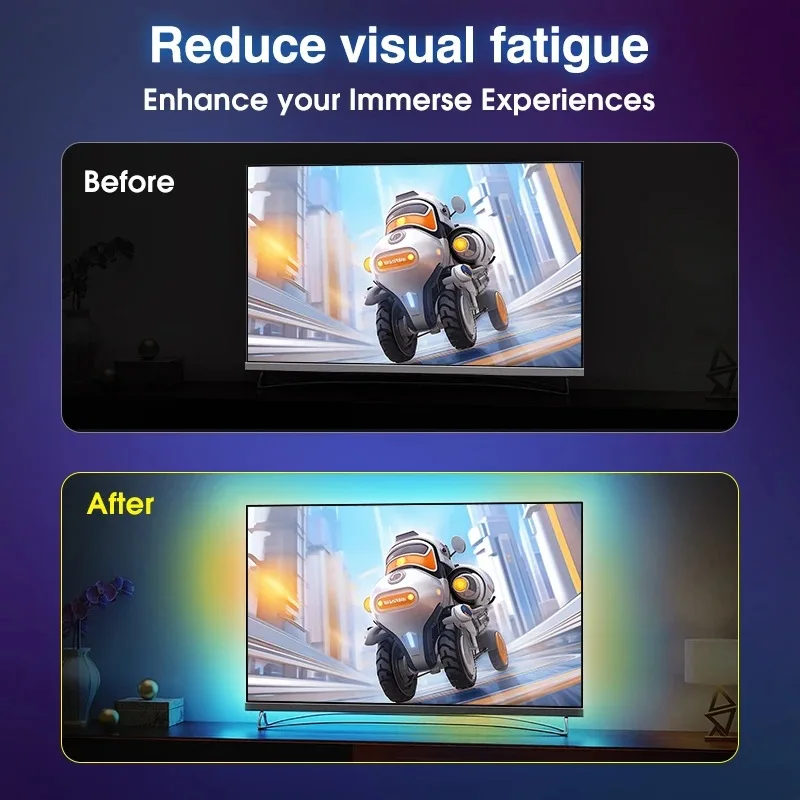
Lights instantly match the colors of your screen, creating an immersive ambient glow that reacts in real time to whatever you’re watching or playing.
No WiFi or Apps
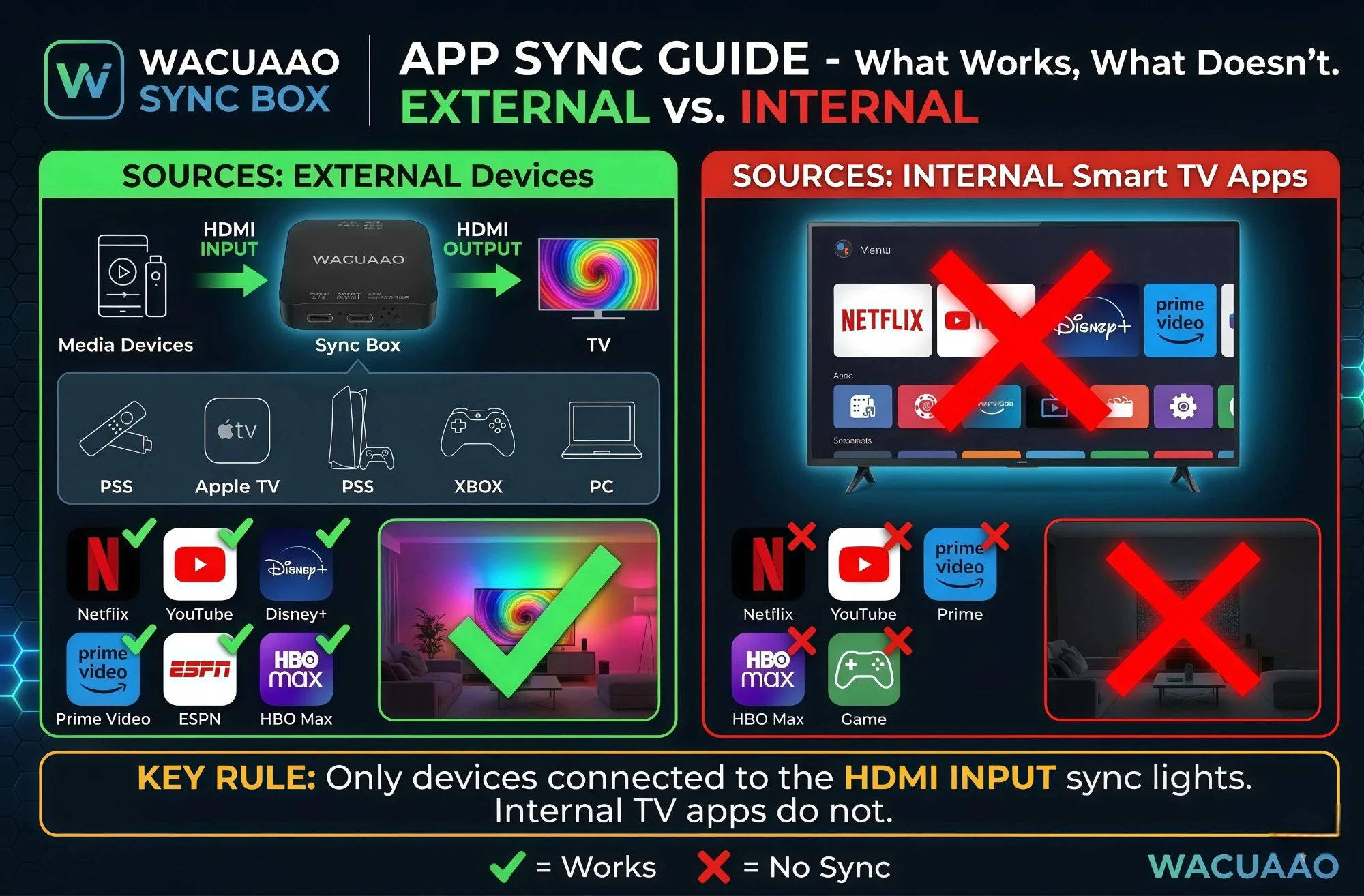
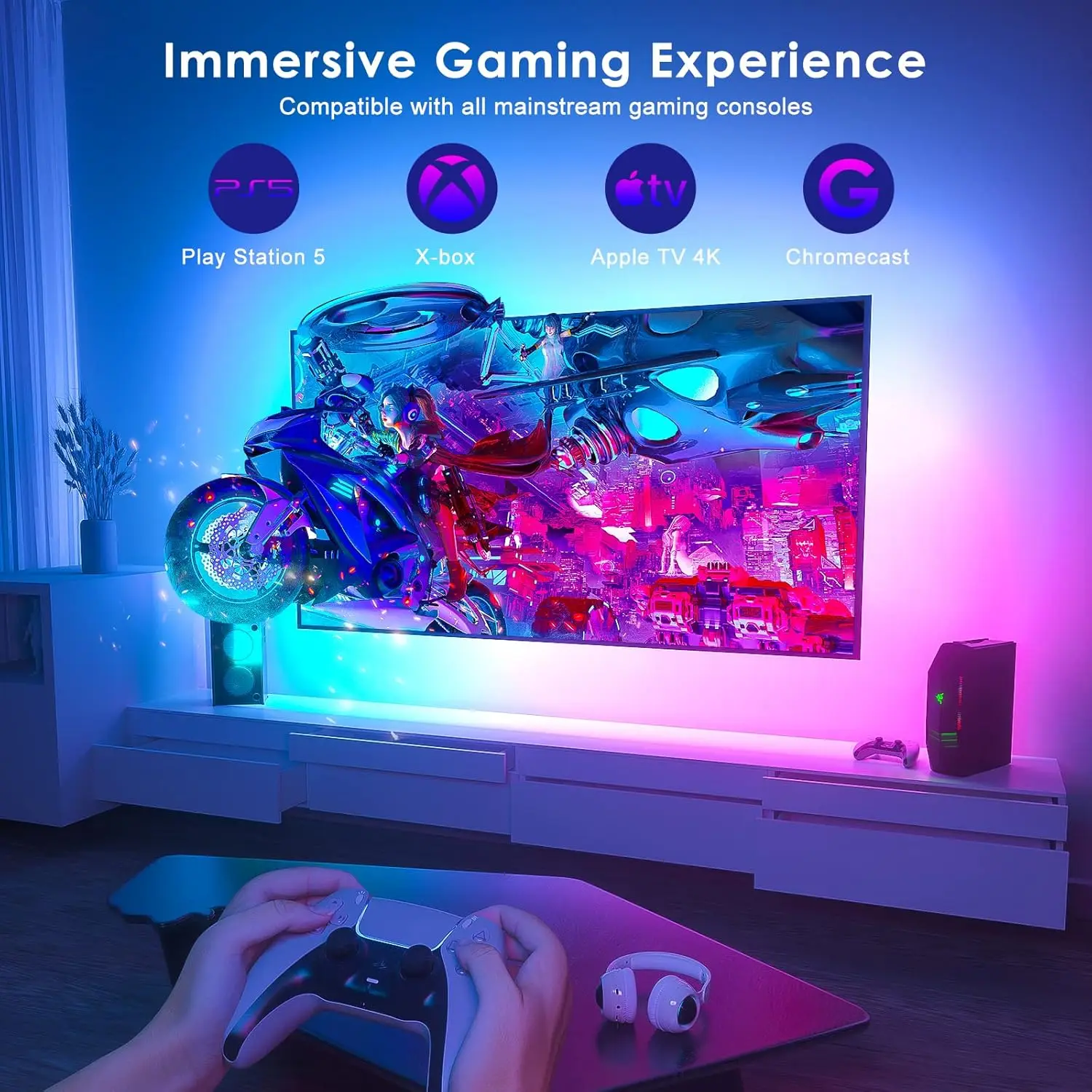
Works instantly via HDMI 2.0 input (TV Box, Apple TV, Fire Stick, PS4/5, Xbox,Switch)。.No complex APP setup, no tracking, no data sharing.
Waterproof
Designed to withstand splashes and spills, ensuring durability in various environments.
Dynamic Ambiance Lighting
Enhance your viewing experience with dynamic ambiance lighting that changes color based on your TV content.
Easy DIY Setup
Peel, stick, and plug into HDMI; no tools or tech skills required.
Product Description
Elevate your TV experience with the HDMI Sync TV Backlight, designed to transform your space into a cinematic hub or gaming arena.
Simply connect via HDMI 2.0 to sync lights with movies, shows, or gameplay in real-time.
The peel-and-stick LED strips fit any TV size, while the spill-proof design ensures longevity.
Perfect for gamers, streamers, or movie nights – plug in, light up, and immerse!
How To Install?
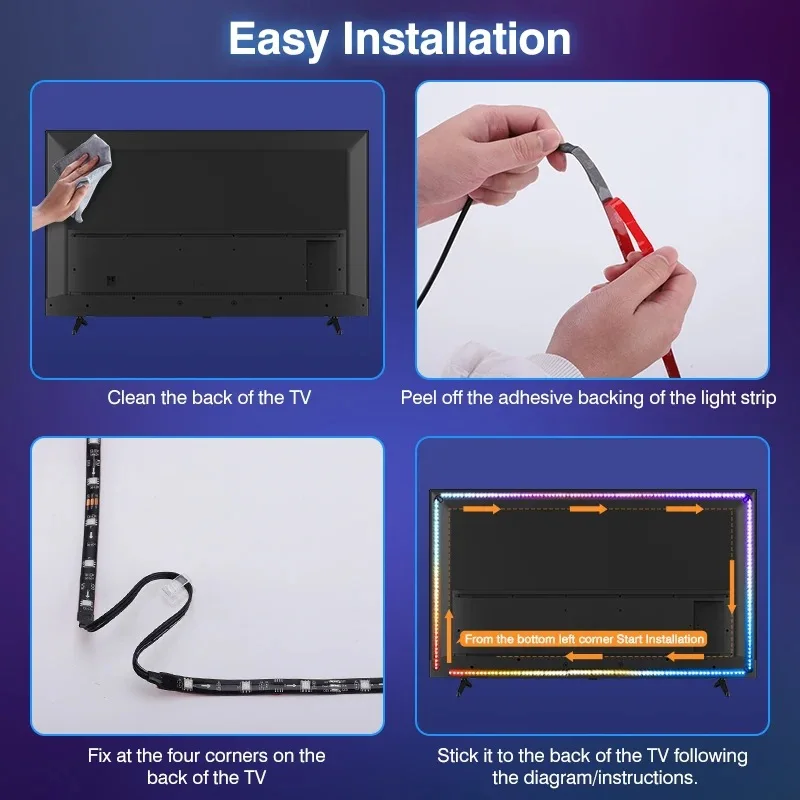
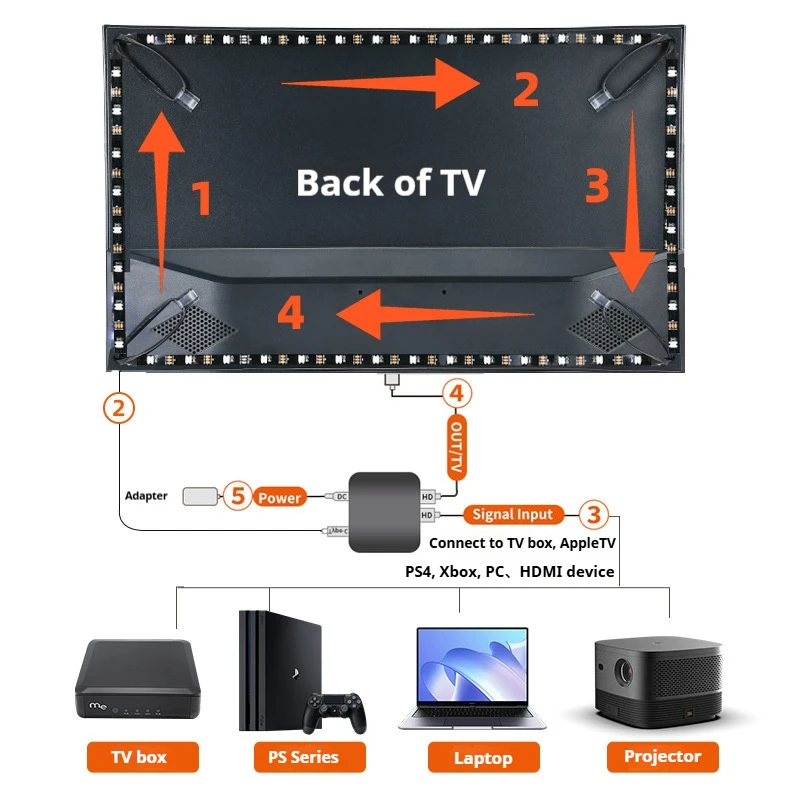
Tear off the adhesive tape and stick the light strip clockwise to the back ofTV from the bottom left corner. Fix the light strip in corners with clips.
Connect the light strip to the “LED Strip" Type-C port of the sync box.
Connect TV Box or other signal sources to the “input" port of sync box with an HD cable.
Connect Your TV or monitor to the “output" port of the sync boxwith the data cable.P
Power on the light strip with the power adapter.
Troubleshooting: Quick Fix for Lighting Issues
Q: What should I do if part of the LED strip isn’t lighting up or colors are out of sync?
A: No problem! This is often a simple connection glitch. Here’s how to reset it:
Press and hold the "RESET" button on the sync box for 5 seconds (the strip will flash red).
Unplug the power adapter from the outlet for 10 seconds.
Plug it back in. The lights will perform a white chase effect — this means the reset is complete!
Pro Tip: This process helps recalibrate the LEDs and solves most sync issues instantly.

We're Here to Help!
Have any questions about this product? Or encountered an issue after receiving your order?
We're just a scan away! Feel free to contact us directly on WhatsApp via the QR code below. Our team is ready to assist you with any inquiries, both before and after your purchase.
We'll get back to you as soon as possible!
Technical Support:longlight888@outlook.com